


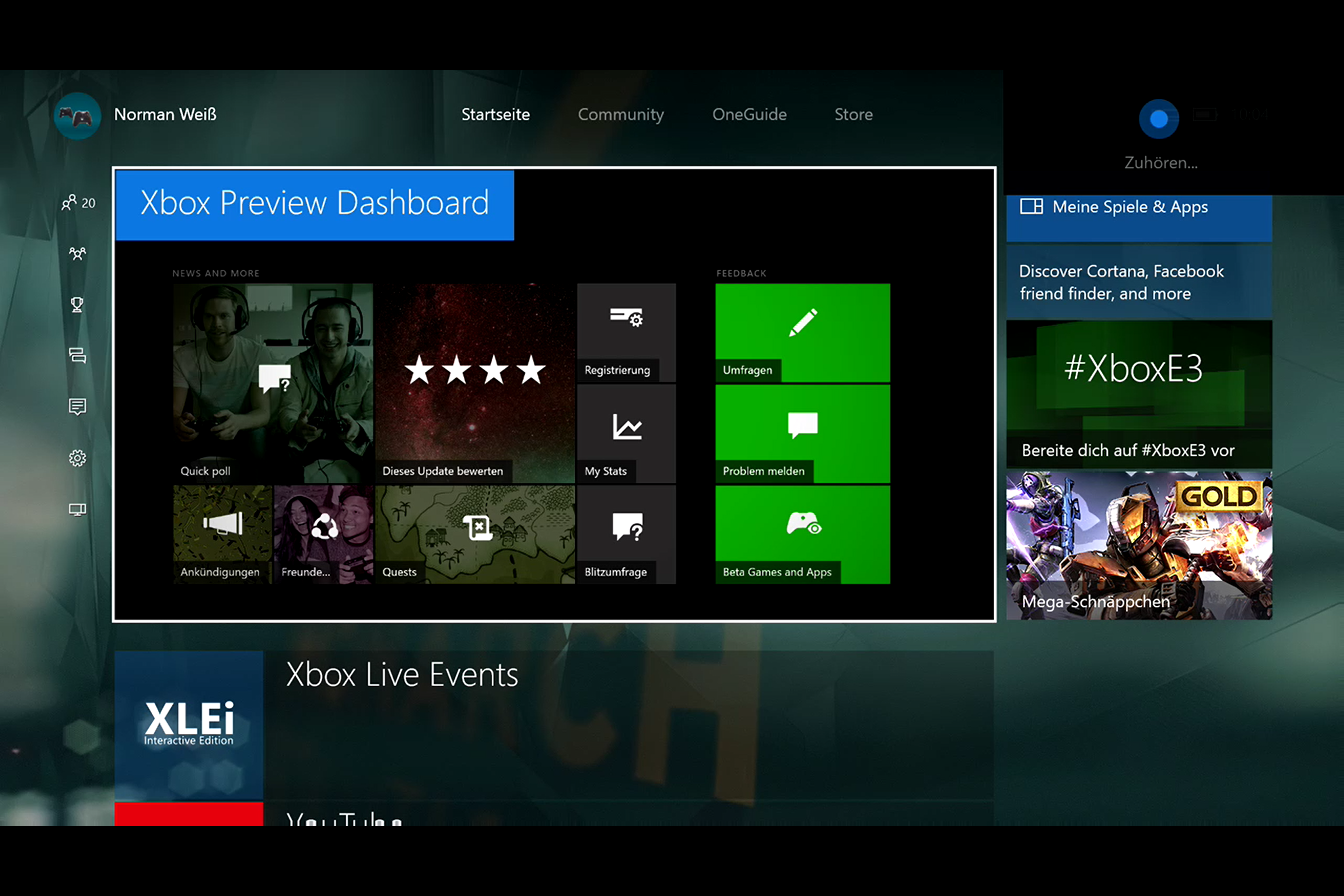
Und wieder rollt Microsoft ein neues Bugfix Update an alle seine priorisierten Preview-Mitglieder aus, die sich in der vergangenen Woche für das neuste Dashboard Update Anniversary Update für Xbox One registriert haben. Auch heute stehen wieder einige Verbesserungen auf der Liste, die alle Previewer unter auch ab sofort herunterladen können. Wer von euch seine Konsole im Instant-On Modus hat, bekommt das Update binnen zwei Tagen automatisch auf seine Konsole aufgespielt. Wer nicht warten möchte, lädt sich das neuste Bugfix Update rs1_xbox_rel_1606.160609-1700 einfach manuell in den Einstellungen unter Updates & Infos.
Es gibt, wie schon in der davor gestellten News dazu, noch einige Bugs und Fehler, die in der neusten Preview enthalten sind. Aus Zeittechnischen Gründen sparen wir uns die Übersetzung und kopieren euch den Originaltext aus den offiziellen Preview-Foren hier rein.
Details:
OS version released: rs1_xbox_rel_1606.160609-1700
Thanks for helping us test the latest Xbox One update! We’re eager to show off the new features and experiences we’ve been working on. We’ve noted below a few important things be aware of before you jump in.
• Certain content (games, apps, DLC) purchased in the new Store may only be available on consoles enrolled in the latest Preview update. This means… • Games purchased on a console running the latest Preview update can only be played on that console or other consoles running the latest Preview update. • Games purchased via Xbox.com can be played on any console. • Games purchased on a console running the previous update can be played on any console.
• Certain parental control features aren’t functioning appropriately in the current build. As a result, we encourage users to exercise caution when letting children access a console that is using the latest Xbox One update until these issues are resolved.
• We’ve added several settings that are already found on Windows today. These include SmartScreen Filter, which sends URLs you visit in apps to Microsoft to check against a list of potentially harmful sites, and advertising ID, which helps Microsoft present you with more personalized ads in Universal Windows Apps. You can choose to turn these off and manage your preferences for how Xbox One uses your information in Settings.
Fixes:
• Dashboard – When attempting to return to the dashboard with the Xbox button or with „Hey Cortana Go Home“, you should no longer encounter a black screen and error.
• Xbox Preview Dashboard – Resolved an issue which could cause the Xbox Preview Dashboard to freeze when navigating to content (Quests, Announcements, Surveys, Rate this update, etc.).
• My Games & Apps – Resolved an issue which caused games and apps which were previously installed to no longer be installed after downloading a system update.
• Xbox Universal Store – Relevant content should now populate when searching specific Categories in the Store. • The Store now filters game and app results in Search. • Consumable DLC (coins, points, currencies, etc.) should no longer fail to appear in-game after being purchased from the Store.
• EA Access – A download or install button now displays on the corresponding Store page for EA Access vault titles.
• Blu-Ray Player – Resolved an issue with the Blu-Ray Player app which caused it to fail to launch or prompt with the error “Not compatible with this device”.
Derzeitig bekannte Fehler:
• Instant-On Mode – In Instant-On mode, when the console enters connected standby, game and app installations in progress may fail to continue installing.
• Rocket League – Free Multiplayer Weekend Rocket League may not appear free on the Store page for Xbox Live Gold subscribers during the Free Multiplayer Weekend. Workaround: Xbox Live Gold subscribers can navigate to My games & apps > Ready to Install to install Rocket League during the Free Multiplayer Weekend.
• Blu-Ray Player – After downloading an app update, the Blu-Ray Player app may fail to play Blu-Ray discs. Workaround: Uninstall and reinstall the Blu-Ray Player app.
• Twitch – The Twitch app may fail to launch. Workaround: Uninstall and reinstall the Twitch app.
• Microsoft Edge – While playing a video, pressing the left thumbstick to enter full screen mode may cause Microsoft Edge to crash. Workaround: Use the on-screen full screen button to enter full screen mode.
• Pins – After downloading an app update, the app and all associated content pins will become unpinned from the dashboard. This only occurs once for each app after downloading the latest Xbox One update. • Pinning content from within apps (TV shows, etc.) is no longer supported.
• Cortana – If Cortana doesn’t hear you the first time, you can usually try saying the phrase again. • In some cases Cortana won’t recognize the name of any game or app (ie. „Hey Cortana open Netflix“). This is an issue we’re working to address; please use Report-a-problem when encountering this issue. You can resolve this by launching Cortana from My games & apps and returning to the dashboard. On the Cortana Snap tile on Home, press the menu button to open the menu and select „Quit“, which will reload Cortana on next use. • If Cortana says she didn’t hear you right after you say “Hey Cortana”, navigate to Settings > Account > Privacy > App > Speech > Collect Info (accept)” and confirm the setting is checked. • When Cortana is “Thinking…” sometimes the sound (looping sound) continues longer than intended. To resolve this, open Cortana from Guide or My games & apps and close it again by hitting B button. • On the first use of „Hey Cortana“ after a reboot or crash, Cortana snaps but may display no results. • You may be unable to use See-It-Say-It in various apps such as Netflix, YouTube, and the Blu-Ray Player app. • Cortana sometimes needs to spend more time „Warming up…“ than she should. • Sometimes short commands are recognized incorrectly (ie. „Hey Cortana mute“, „Hey Cortana pause“) and initiate a web search instead. • Sometimes short commands take longer than they should to be recognized (ie. „Hey Cortana mute“, „Hey Cortana pause“). • „Hey Cortana snap TV“ sometimes launches Movies & TV, rather than TV, until you say „1“ or „2“. • „Hey Cortana turn off the Xbox“ … „Yes“ in UK, FR, IT, DE, and ES sometimes gets stuck on the confirmation and fails.
• Payments and Billing – At this time it’s not possible to add, edit, or remove payment options on the console. Please use Xbox.com or another console not enrolled in the latest Xbox One update to manage payment options.
• Profile – At this time it’s not possible to purchase a Gamertag change on the console. Please use Xbox.com or another console not enrolled in the latest Xbox One update to change your Gamertag.
• Xbox Universal Store – At this time it’s not possible to redeem a 5×5 code for Xbox Live Gold on the console. Please use Xbox.com or another console not enrolled in the latest Xbox One update to redeem a 5×5 code for Xbox Live Gold. • You may be unable to buy, rent, or play certain movies or TV shows from the Store (the purchase button may not appear on the Store page). Please buy or rent from the Windows Store on a Windows 10 device or from the online Microsoft Store and the content will appear in the collection of your Xbox One’s Movies & TV app. The Xbox Video app can be used to purchase content on Windows 8.X/RT PCs and tablets and on Windows Phone 8.X devices. Windows XP, Vista, and 7.X users will need to purchase content from the online Microsoft Store. • When attempting to purchase In Between in the Store, the Store page displays an error indicating “In Between is currently not available”. • You may be unable to purchase the EA Access Hub from the Store.
• My Games & Apps – You may encounter an error when attempting to load Ready to Install if you have a large digital library. • The trigger to unhide games in My games & apps has changed: the correct command is now Left Bumper + Right Bumper + X. Using the old command (Right Trigger + Left Trigger + X) may cause My games & apps to crash.
• Playing Games – You may be unable to purchase content or currencies from the in-game interface with certain games. • When attempting to purchase additional tables in Pinball FX2, you may encounter an error and be unable to complete the purchase.
[asa]B014R04IC4[/asa]